“The first time our colorist opened the cut from her apartment in Berlin, the proxy range she scrubbed landed in under a second. We retired the LA ↔ Berlin shuttle drive the next week.”
Binary-asset version control
Version control your binaries. Without the version control.
Branch, commit, and merge your project files - the workflow teams buy Perforce for - built into a drive that just mounts. No clone, no checkout, no VCS for your artists to learn.
No cloneNo checkout danceNothing new to learn
Sound familiar?
Git can’t. Perforce can, but nobody likes it.
Git chokes on big binaries
A 4 TB project isn’t a git repo. Diffs are meaningless, LFS is a bolt-on, and merging a .rvt or a .drp is a non-starter.
Perforce works - and everyone resents it
The checkout dance, the admin overhead, the depot mental model. It solves the problem by making everyone learn a version-control system they didn’t want.
Swarmfile gives you the version control, and takes away the version-control tax.
How it works
Three steps, no depot to administer.
1
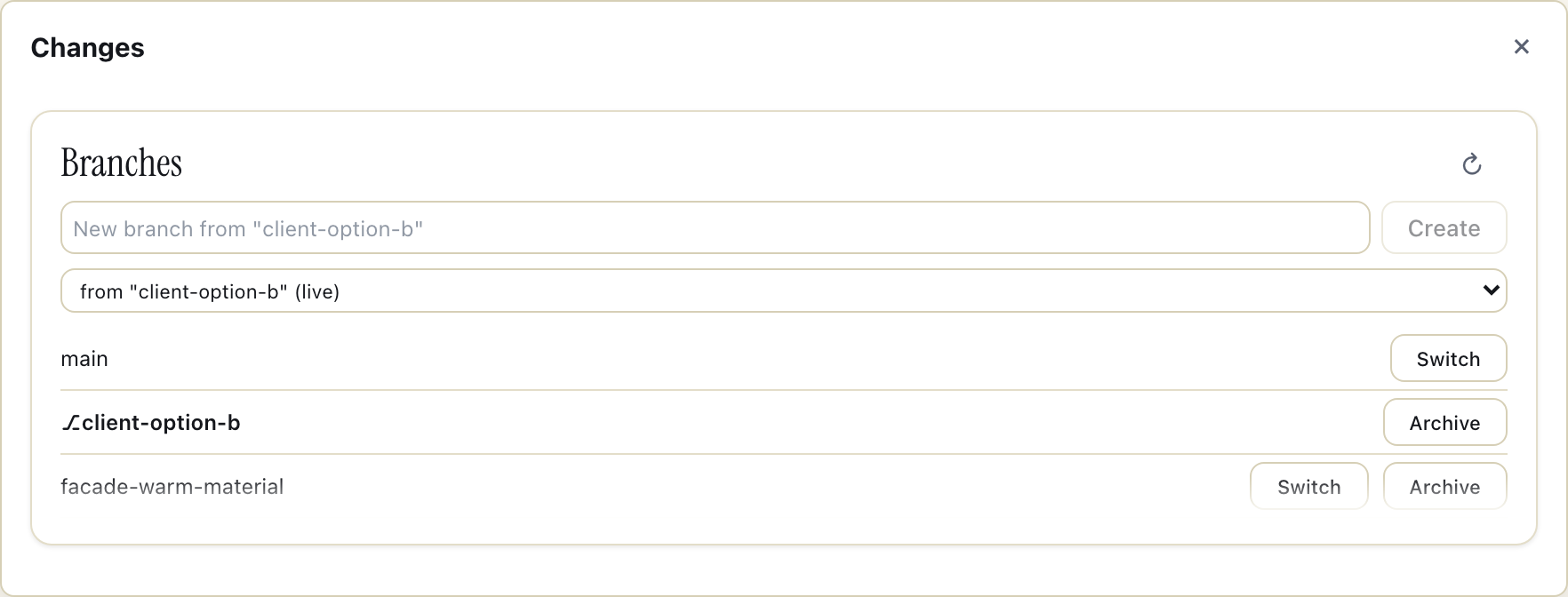
Branch
Fork a project and each mount diverges independently over the same content-addressed blocks - so branching a 4 TB project is instant and costs almost nothing on disk. Try a look-dev pass, a design option, or a client variant without touching main.
2
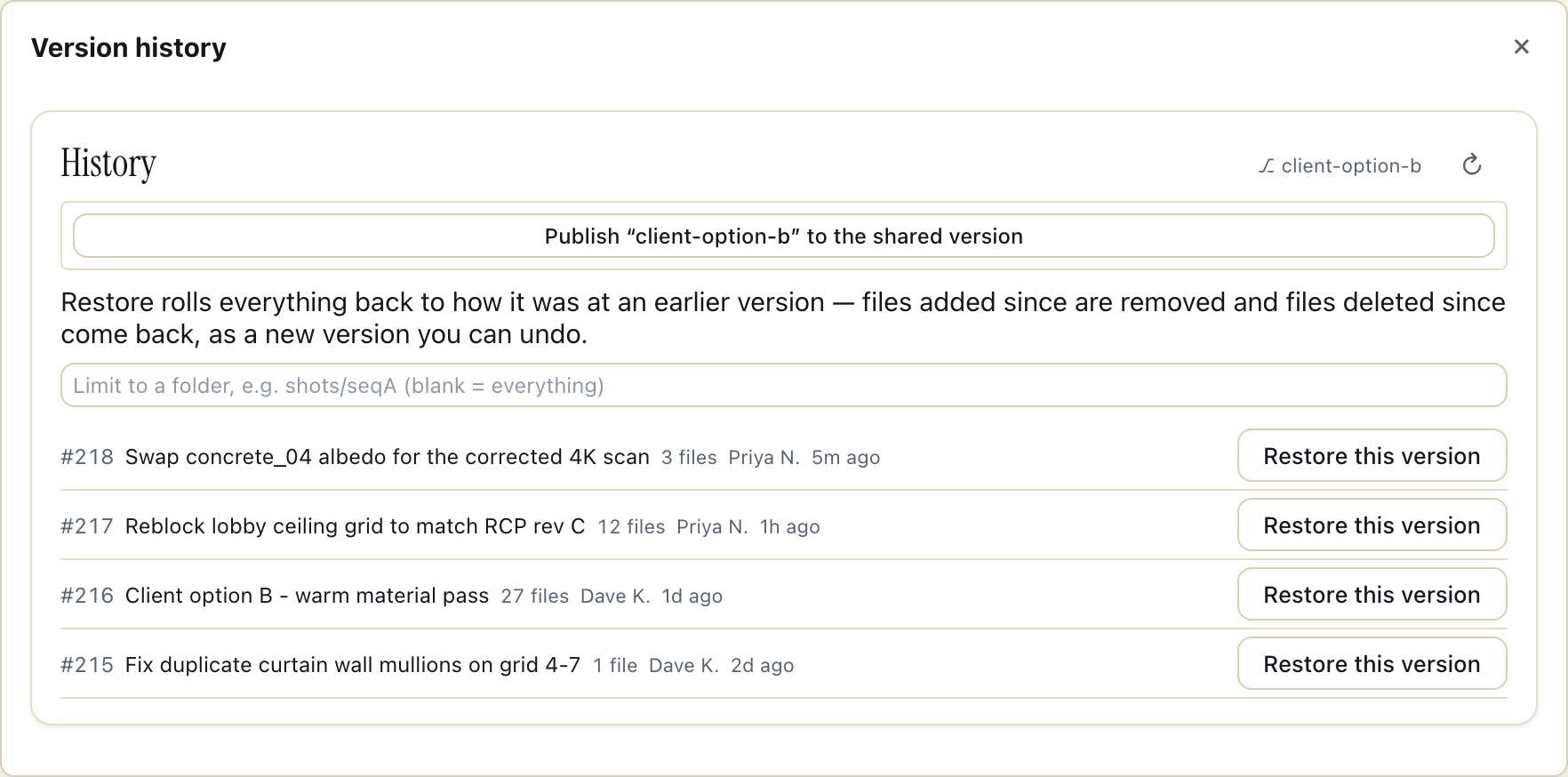
Commit a changeset
Bundle a set of file changes into one named, atomic, revertable commit. The whole group lands together or not at all, it shows up in the Commits view and the activity feed, and you can roll the entire changeset back - or restore any file, folder, or project to a past commit or a point in time.
3
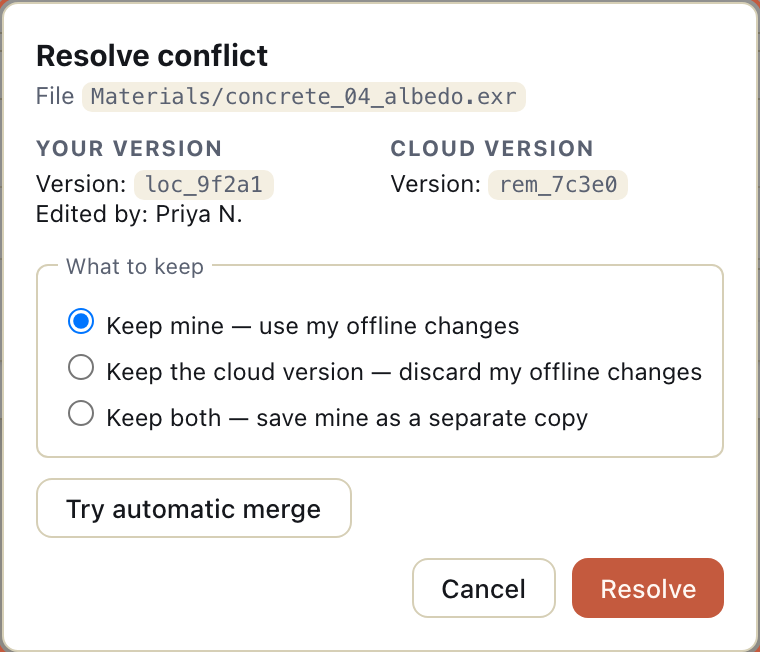
Merge
Land a branch back onto main (or a parent branch) with a whole-file merge and cross-machine conflict detection. Because binary assets can’t be line-merged, conflicts are winner-take-all - Swarmfile flags them and you choose which version wins. No silent overwrite, no lost work.
For pipeline & build engineers
Prefer the terminal? It’s all there.
Everything above is also a real CLI, in the vocabulary you already use - swarmfile branch, swarmfile commit, swarmfile checkout, swarmfile merge, a git log --oneline-style swarmfile log, and swarmfile tail for a live feed of what the project is doing right now. Script it into a pipeline; nobody has to open a GUI to use version control on this drive.
For pipeline & build engineers
Runs itself in CI, too.
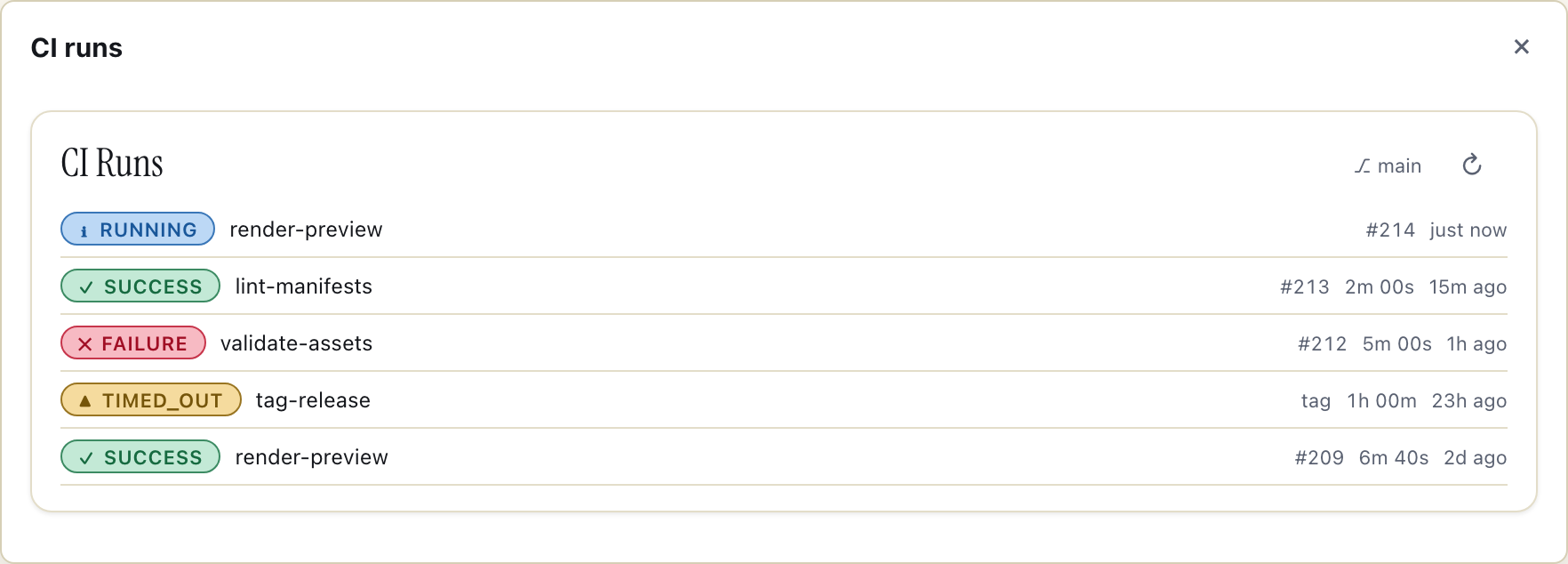
A headless engine watches a branch and runs a job on every commit or tag that matches a rule - no separate CI config to babysit. Rules live in .swarmfile/runner.yml, in the branch, versioned right alongside the files they build. A job streams only the files it actually touches out of the project - ten files out of ten thousand streams ten files, not a full checkout.
Who it’s for
One workflow, four kinds of parallel work.
Game & real-time
Look-dev variants, level options, and pipeline branches without cloning the project.
VFX & post
Try a grade or a cut variant on a branch, merge the keeper back.
Design & AEC
Explore option A and option B in parallel, then land the chosen one.
Any binary-heavy team
If your files are too big for git and your team is too busy for Perforce, this is the middle you’ve been missing.
Perforce power, drive-letter simplicity.
You get atomic changesets, cheap branches, and controlled merges - the things you’d stand up Perforce for - but they live inside a normal mounted drive. There’s no depot to administer, no per-file checkout to teach, and no separate client to install. Your artists keep working the way they already do; the version control is there when someone needs it.
In their words
Teams already running Swarmfile in production.
Studios and firms already running Swarmfile in production. Their feedback shapes every release.
“We're piloting on a 12-tower Revit central model across two offices. The byte-range lock is the part everyone said couldn't work.”
“Multi-GB CAD and Revit worksets between field laptops and the home office used to mean a courier. Now it's just there.”
Quotes shared with our partners’ permission. Names and logos will follow once they’re ready to go public.
Branch it. Commit it. Merge it. Mount it.
Start a 7-day Pro trial and try a branch on a real project. Card on file, nothing charged until day 7.
Cancel anytime before day 7.