Migrating Existing Data
swarmfile-migrate is a standalone CLI for bulk-importing data you already have into a Swarmfile project - a NAS share, an existing S3-compatible bucket, or a flat list of file paths. Use it the first time you bring an existing archive onto Swarmfile, rather than dragging everything through your mounted drive by hand.
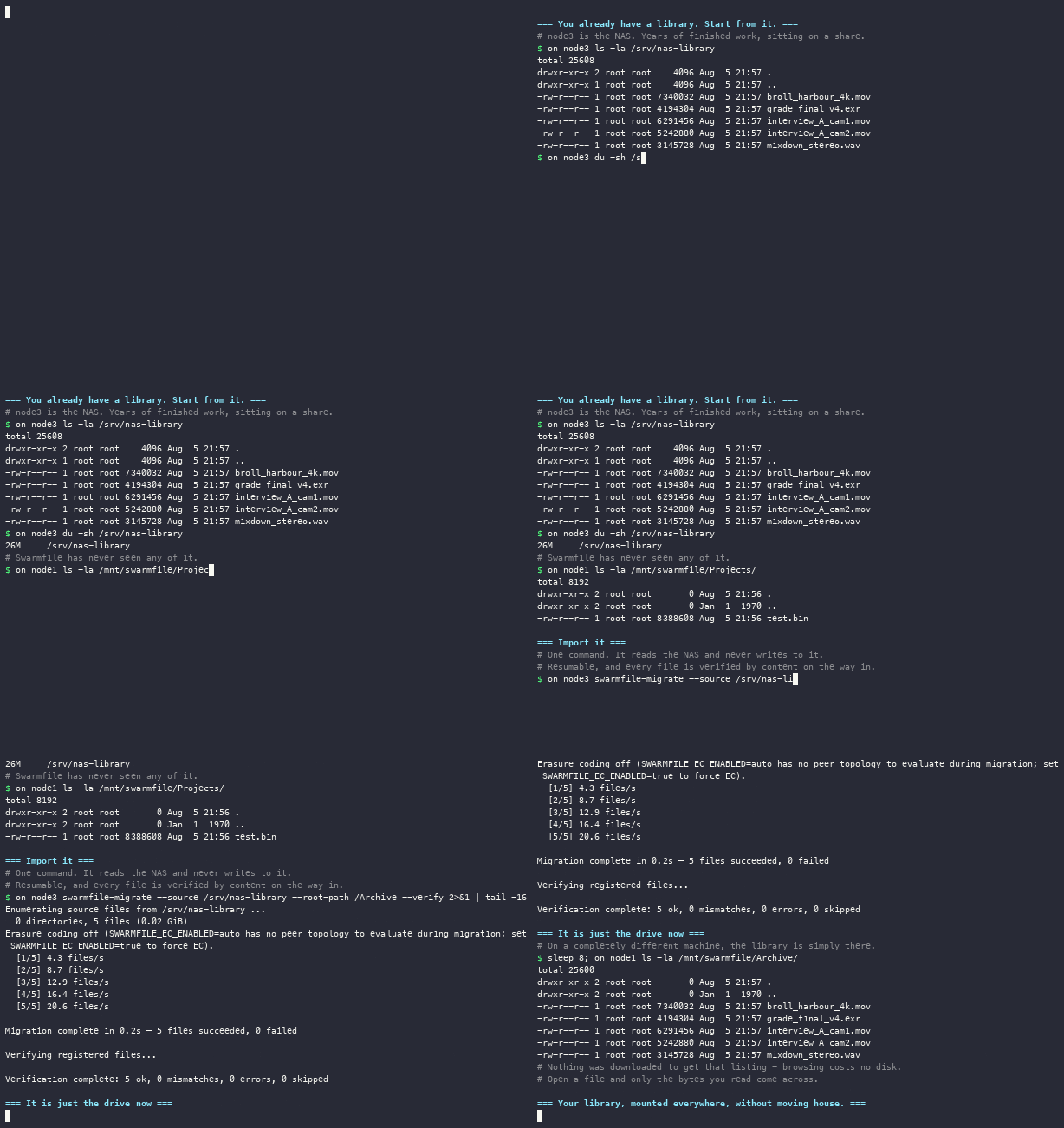
This page is a practical walkthrough. For the complete flag reference, see swarmfile-migrate.
A realistic example#
Importing a local project directory, skipping cache and scratch files:
swarmfile-migrate --source /Volumes/nas/ProjectArchive \
  --hub-url https://hub.swarmfile.com \
  --org-id acme-films --project-id feature-01 \
  --exclude "*.cache" --exclude "**/tmp/**"
This walks the source directory, applies the gitignore-style exclude patterns to skip anything you don't want copied, and uploads the rest into the target project.
What to expect while it runs#
Migrate reports progress as it goes and retries failed transfers automatically - a dropped connection partway through a large file doesn't fail the whole run, it retries that transfer. If the process itself is interrupted (you kill it, the machine sleeps, the network drops entirely), it's safe to just run the same command again.
Resume#
Migrate keeps a local state database tracking what's already been uploaded. On a second run with the same source and target, it picks up where it left off instead of re-uploading everything from scratch. You don't need a separate --resume step or flag - re-running the same invocation is the resume mechanism.
Verification#
After each file uploads, migrate checks its content against the source - a CID/hash comparison - so a successful run means the data landed intact, not just that bytes were sent. Migrate can also produce a JSON report of the run, which is the artifact to keep if you need to audit exactly what was migrated, skipped, or retried.